Most Amazon product launches fail in the first 30 days, not because the product is bad, but because sellers treat launch like a one-time event instead of a structured 60-90 day process. An amazon product launch in 2026 has to account for a review system that’s stricter, ad costs that keep climbing, and an algorithm that weighs conversion rate more than it ever has.
This playbook breaks down exactly what to do in each phase of a launch, from the week before your ASIN goes live to the point where you’ve built a defensible ranking position. We’ve built this around what actually works on the platform right now, not theory.
What you need before you start
Before you touch the “Launch” button, you need four things locked in: a finished listing, inventory in FBA, a PPC budget you can sustain for at least 60 days, and a keyword list ranked by relevance and search volume.
Skipping any of these means you’ll be improvising during the exact window when Amazon is watching your product closest. The algorithm gives new ASINs a short grace period of visibility, sometimes called the “honeymoon period,” and if your listing or inventory isn’t ready, you burn that window for nothing.
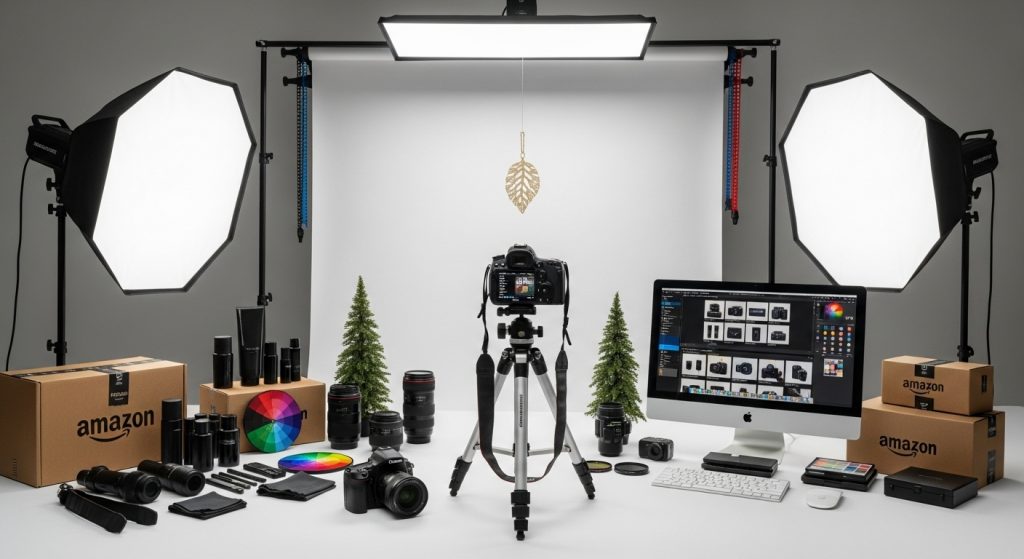
Your listing needs main image compliance, at least 5-7 supporting images, a keyword-optimized title and bullets, and A+ Content if you’re brand registered. Your inventory needs to cover at least 45-60 days of projected sales at your target price point, because a stockout in week 3 of a launch resets your momentum to zero.
Finally, set your PPC budget based on your break-even ACOS, not your ideal ACOS. In launch phase, you’re buying ranking data and reviews, not profit. Expect to run near or slightly above break-even for the first 30-45 days.
Step 1: Lock your keyword strategy before day one
Every successful launch we’ve run starts with a keyword hierarchy: 3-5 primary keywords you’re targeting for page-one ranking, 10-15 secondary keywords for supporting traffic, and a long tail list of 30+ terms for broad match discovery.
Use tools like Helium 10 or Jungle Scout to pull search volume and competitor ranking data, then map those keywords into your title, bullets, backend search terms, and PPC campaign structure before launch, not after. If you’re deciding between keywords with similar volume, prioritize the one with lower average review count among top 10 competitors. That’s often a faster path to page one.
One brand we worked with in the kitchen category identified a mid-volume keyword (around 8,000 monthly searches) where the top 5 listings averaged under 200 reviews, compared to 2,000+ on the flagship keyword. Targeting that secondary term first got them to page one in 12 days instead of the 40+ days it would have taken on the primary term.
Step 2: Launch week execution (days 1-14)
Your first two weeks set the tone for everything after. On day one, launch three PPC campaign types simultaneously: an Auto campaign for discovery, a Manual Exact campaign on your primary keywords, and a Manual Broad or Phrase campaign for secondary terms.
Set your Auto campaign bids moderately aggressive, since this is how Amazon starts mapping your product to relevant search terms. For Manual Exact, bid to win top-of-search placement on your primary keywords even if the ACOS looks uncomfortable. In this phase, impressions and click volume matter more than immediate profitability.
Pricing during launch week should sit at or slightly below your target long-term price. A modest discount, in the 10-15% range, paired with a “New Release” or launch badge if eligible, gives you an edge in the conversion rate comparisons Amazon runs against competing ASINs.
This is also when you activate your review generation plan. If you’re using Amazon’s Vine program, enroll before launch so reviews start populating in week one. Combine that with “Request a Review” button clicks (manual or automated) on every order to build organic reviews in parallel.
Step 3: The ranking push (days 15-30)
By week 3, you should have enough sales and click data to start optimizing instead of just spending. Pull your Search Query Performance report and identify which keywords are converting versus which are just generating clicks.
Shift budget toward keywords with conversion rates above your category average, and pause or lower bids on terms burning spend without sales. This is also the point to introduce Sponsored Brands and Sponsored Display campaigns if you have brand registry, since these formats support ranking velocity through additional impression share.
External traffic matters here too. A short, focused push through email lists, influencer seeding, or a small paid social campaign that drives Amazon traffic can meaningfully boost your Best Seller Rank in the first month. Amazon rewards external traffic that converts with a visible bump in organic placement, something we’ve tracked consistently across multiple launches.
Target a specific BSR range for your subcategory as your day-30 checkpoint. If you’re not within striking distance of your goal, increase PPC spend and reassess pricing before assuming the product itself is the problem.
Step 4: Stabilize and defend (days 31-60)

Once you’ve achieved initial ranking, the risk shifts from “can we rank” to “can we hold the position.” This is where a lot of sellers make the mistake of pulling back ad spend too fast, which causes a ranking slide that’s harder to recover from than the original climb.
Instead, taper your PPC spend gradually, by roughly 10-15% every week or two, while watching organic rank as your signal. If organic position holds or improves as you reduce spend, you’ve found your sustainable ad-to-organic ratio. If rank drops, you cut too fast.
This is also when you should be reviewing your pricing strategy. If you launched at a discount, this is the window to test a gradual price increase back toward your target margin, in small 5% increments, monitoring conversion rate at each step.
Review velocity should be steady by now. If you’re below 15-20 reviews by day 60, revisit your post-purchase email sequence and review request timing, since review count directly affects conversion rate on competitive keywords.
Step 5: Sustained growth (days 61-90)
By this point, your product should be generating organic sales without heavy PPC dependency. Your focus shifts to defending your position against new entrants and expanding into adjacent keywords you haven’t fully captured yet.
Run a full listing audit at day 60-75. Check your conversion rate against category benchmarks, review your main image against new competitors who may have entered since launch, and update A+ Content if you’ve gathered customer feedback that reveals objections your original copy didn’t address.
This is also a good time to evaluate whether a second variation, a bundle, or a complementary product makes sense. Products with proven demand often unlock more velocity from a variation launch than from doubling down on ad spend for the original listing. If you’re managing multiple SKUs, our team at Zonpal’s PPC management service can help you build campaign structures that scale without cannibalizing your existing rank.
Common mistakes (and how to avoid them)
We see the same launch mistakes repeat across categories, regardless of product type or price point. Here’s what consistently derails an otherwise solid amazon product launch:
- Cutting PPC spend too early: Pulling back budget in week 2-3 because ACOS looks bad kills momentum before the algorithm has enough data to rank you organically.
- Under-forecasting inventory: A stockout during your ranking window resets your BSR progress and can take another full launch cycle to recover.
- Ignoring Search Query Performance data: Sellers who don’t check which keywords actually convert waste ad spend for weeks longer than necessary.
- Launching without a review plan: A listing with zero reviews at day 14 loses conversion battles to competitors with even a handful of reviews, regardless of price or images.
- Treating launch as a 2-week sprint instead of a 90-day process: Sellers who stop optimizing after the first month miss the stabilization phase where most rank is lost or gained.
Wrapping up
A strong amazon product launch in 2026 isn’t about one clever tactic, it’s about sequencing keyword strategy, PPC, pricing, and reviews correctly across a 60-90 day window. Sellers who treat it as a structured process consistently outperform those who launch and hope.
If you want a team that’s run this playbook across hundreds of SKUs, our full-service Amazon management team at Zonpal can build and execute your launch plan end to end, from listing optimization to PPC to inventory forecasting. Get in touch to talk through your next launch.