Amazon Brand Registry: The Ultimate Guide for Sellers in 2025
Amazon Brand Registry is a powerful tool for sellers looking to protect their brand, enhance listings, and boost sales on Amazon. In 2025, enrolling in this program is essential for building a sustainable, competitive business. This Amazon Brand Guide covers everything from eligibility to enrollment, offering practical insights and tips.
What is Amazon Brand Registry?
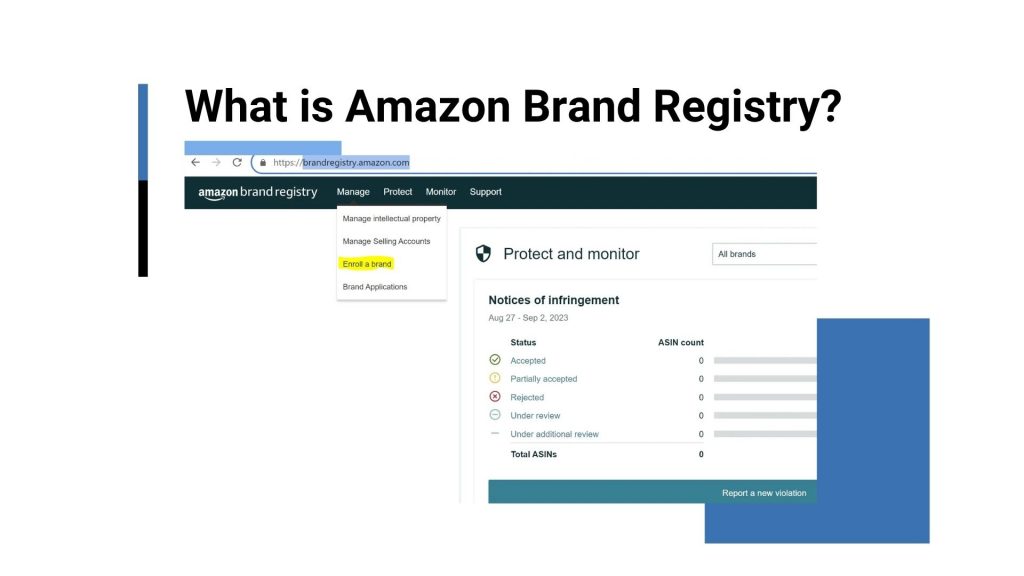
Amazon Brand Registry is your key to protecting and growing your brand on Amazon. This section explains what it is and why it matters to you.
Launched in 2017 and refined by 2025, Amazon Brand Registry is a free program that helps you safeguard your intellectual property, enhance your listings, and access advanced marketing tools. It protects your products from counterfeits and unauthorized sellers while unlocking features like A+ Content and Brand Analytics. For example, if you sell handmade candles, Brand Registry ensures no one else can hijack your listings with knockoffs. Enrolling early builds customer trust and sets you up for long-term success.
What is Amazon Brand Registry?
Why Should You Enroll in Amazon Brand Registry?
Joining Brand Registry gives you tools to elevate your business. Here’s why you should sign up!
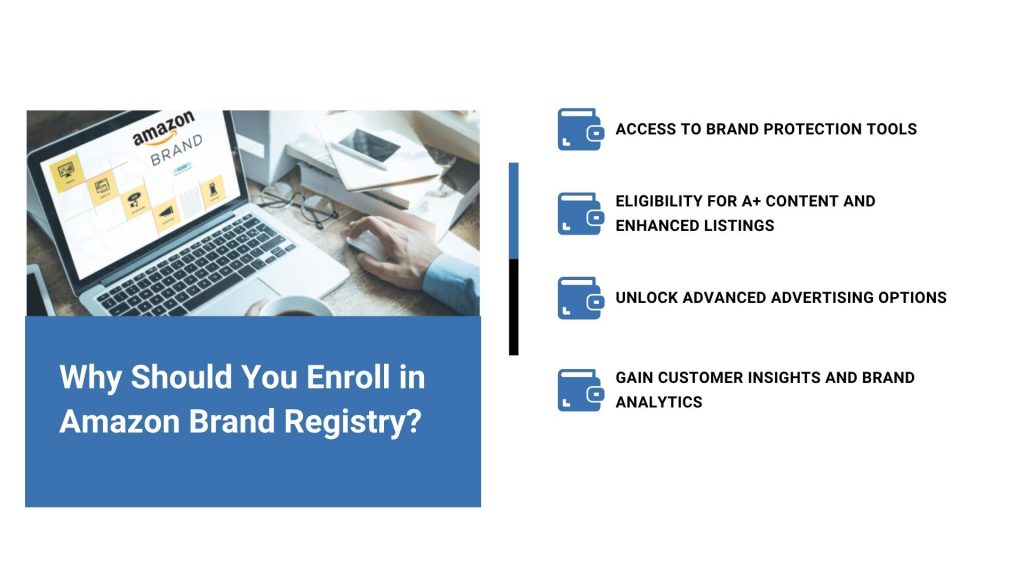
Access to brand protection tools
Brand Registry provides tools like the Report a Violation feature and Proactive Brand Protection, automatically detecting and removing infringing listings. For instance, a seller of eco-friendly kitchenware cut counterfeit listings by 70% using these tools. This keeps your brand safe and ensures customers buy your authentic products.
Eligibility for A+ content and enhanced listings
With A+ Content, you can create visually rich product pages with images, videos, and comparison charts. Amazon data shows A+ Content can boost your conversions by up to 10%.
Unlock advanced advertising options
Brand Registry unlocks Sponsored Brand Ads and Amazon Stores, letting you create targeted campaigns and branded storefronts. A pet supply brand our team worked with saw a 15% sales lift after launching Sponsored Brand Ads, showing how these tools drive visibility for your products.
Gain customer insights and brand analytics
Brand Analytics provides detailed customer behaviour data, including search terms, click-through rates, and repeat purchases. For example, a toy seller discovered that “educational toys for toddlers” drove high traffic, optimized their keywords, and boosted sales by 18%. You can use these insights to refine your listings, target high-performing keywords, and tailor your marketing strategies to meet customer demand, giving you a competitive edge.
Why should you enroll in the Amazon brand registry?
Amazon Brand Registry Requirements: What You Need to Enroll
Knowing the requirements ensures a smooth enrollment process. This section outlines what you need to join Brand Registry.
Do You Need a Trademark to Join?
You need a registered or pending trademark to enroll. Amazon accepts trademarks from major registries like the USPTO or EUIPO. A word mark (text-based) is preferred over a design mark (logo-based) for broader protection.
How to Get a Trademark for Amazon
To get a trademark, file with a recognized trademark office. The USPTO process takes 6-12 months for U.S. sellers and costs $250-$350 per class. You can work with a trademark attorney or use Amazon’s IP Accelerator (covered later) for faster processing. Ensure your Amazon brand name is unique to avoid rejections.
Information and Documents You Must Prepare
You’ll need:
- Your trademark registration number or pending application ID.
- Your brand name and logo (if applicable).
- High-quality images showing your brand on products or packaging (e.g., labels, boxes).
- A list of product categories you sell in (e.g., home goods, electronics).
- Your Seller Central account details.
We recommend creating a checklist and storing all documents in a single folder for easy access. For example, if you sell fitness apparel, include photos of your brand logo on clothing tags or packaging. Missing or unclear documents can delay your application, so double-check everything before submission.
How to Enroll in Amazon Brand Registry: Step-by-Step Process
Ready to unlock Amazon Brand Registry’s benefits? This section provides a clear, step-by-step Amazon brand guide to help you enroll smoothly, ensuring you protect your brand and access powerful tools with ease.
Step 1: Create a Brand Registry Account
Start by logging into your Amazon Seller Central account. If you don’t have one, sign up at sell.amazon.com—it’s free to create, though you’ll need an active selling plan ($39.99/month for Professionals in the U.S.). Navigate to the Brand Registry portal under the “Brands” tab. Ensure your Seller Central account is in good standing, as issues like late shipments can delay approval. In our experience, setting up two-factor authentication on your account adds an extra layer of security during enrollment.
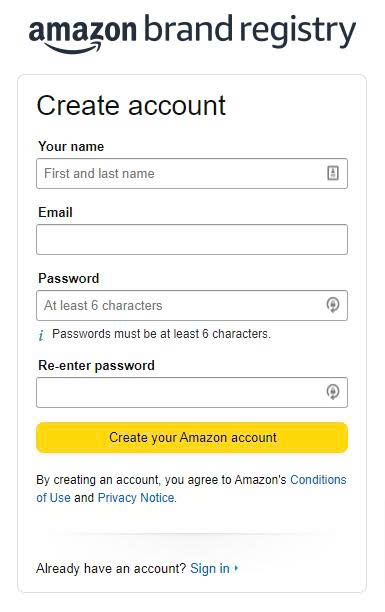
Create a Brand Registry Account
Step 2: Submit Trademark and Brand Information
In the Brand Registry portal, enter your trademark details, including the registration number or pending application ID, and your exact Amazon brand name. The name must match your trademark exactly—for example, “PureFit” and “Pure Fit” are considered different. If you’re selling in multiple marketplaces (e.g., U.S., EU), specify which ones. A seller we worked with was delayed because their trademark name didn’t match their Seller Central brand name, so triple-check for consistency.
Step 3: Product Images and Proof of Use
Amazon requires high-quality images showing your brand on products or packaging. For example, if you sell coffee mugs, upload photos of your brand logo on the mug or its box. Images must be clear, with visible Amazon branding. You’ll also need to provide proof of use, such as product listings or website screenshots showing your brand in commerce. A clothing seller we advised was rejected for submitting blurry images, so ensure your photos meet Amazon’s guidelines (at least 500×500 pixels, clear branding).
Step 4: Identity Verification & Application Submission
Amazon will verify your identity via email or phone to confirm you’re the brand owner. Complete all fields in the Brand Registry portal, including your contact details and product categories. Double-check for accuracy, as incomplete applications are a common reason for rejection. When you apply, Amazon will email you a case ID. Keep it in case you need to check your application later.
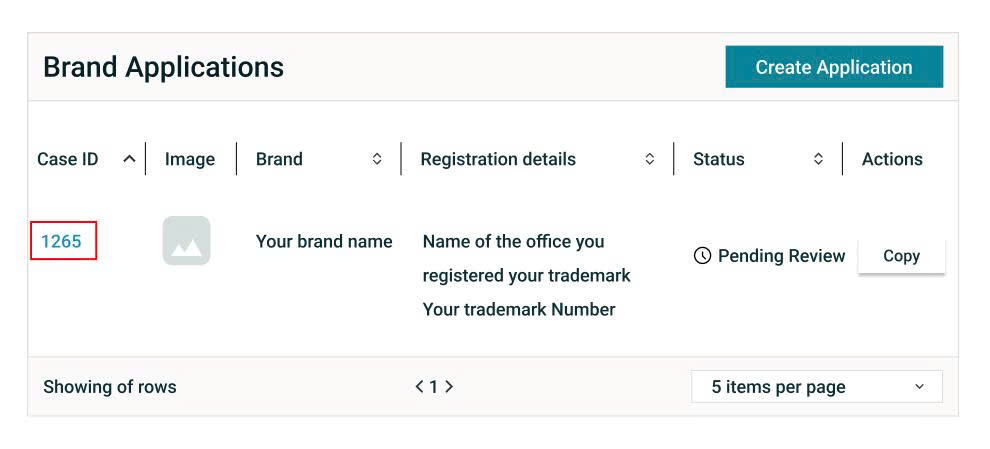
Identity Verification & Application Submission
Step 5: Post-Submission: What to Expect
Amazon typically reviews applications within 1-2 weeks, though complex cases may take longer. You’ll receive an approval email or a request for additional information. If rejected, Amazon will specify the issue (e.g., mismatched brand name). Respond promptly, as most likely rejections can be resolved within days by addressing feedback quickly. After your application is approved, you can use the Brand Registry tools immediately. Set up your brand profile and start exploring features like A+ Content right away.
Common Mistakes to Avoid During the Brand Registry Process
Avoiding errors saves you time and frustration. This section highlights common pitfalls and how to dodge them.
Submitting Incorrect or Incomplete Trademark Info
Always verify your trademark number and brand name before submitting. A seller we advised was rejected because they entered a typo in their USPTO registration number, delaying approval by two weeks. Use your trademark office’s database (e.g., USPTO’s TESS) to confirm details. If you’re using a pending trademark, ensure the application ID is correct.
Not Matching Brand Name Across All Documents
Your brand name must be identical across your trademark, product images, packaging, and Amazon listings. For example, if your trademark is “EcoGlow,” but your packaging says “Eco Glow,” Amazon will reject your application. A kitchenware seller we worked with faced this issue and had to reprint packaging to match. Make a style guide for your brand to keep everything consistent across your content.
Skipping Image Requirements or Product Proof
Amazon requires clear images showing your brand on products or packaging. A seller of pet toys was delayed because they submitted stock photos without visible Amazon branding. Ensure your images are high-resolution (at least 500×500 pixels) and show your logo clearly. If you’re pre-launch, use mockups or samples, but they must include your brand.
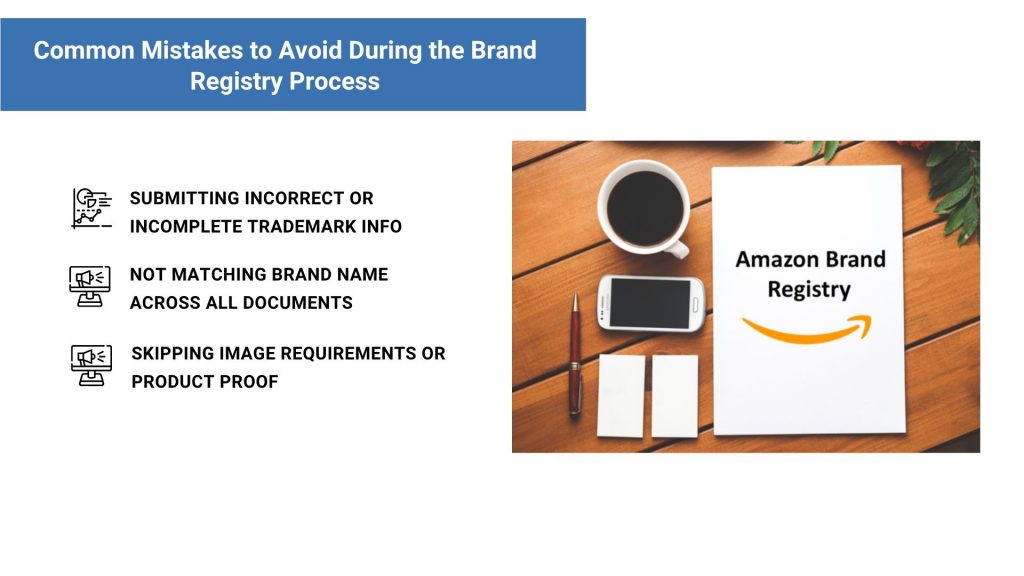
Common mistakes to avoid during the brand registry process
Amazon IP Accelerator
Amazon IP Accelerator helps you get a trademark faster, so you can join Brand Registry sooner. We will explain how it works and why it’s a smart choice for you.
What is Amazon IP Accelerator?
Amazon IP Accelerator connects you with trusted law firms to streamline your trademark registration. Launched to help sellers secure intellectual property quickly, it’s ideal if you don’t yet have a trademark. The program ensures your application meets Amazon’s Brand Registry requirements. Learn more at Amazon IP Accelerator.

What is Amazon IP Accelerator?
Advantages of using IP Accelerator for trademark registration
IP Accelerator offers pre-vetted law firms, transparent pricing, and faster trademark processing. Regular trademark applications can take 6 to 12 months. But with IP Accelerator, it usually takes only 4 to 8 months. You can also join Brand Registry while your trademark is still pending and start using tools like A+ Content right away.
How sellers get connected with trusted law firms
Amazon partners with reputable law firms specializing in intellectual property. After joining IP Accelerator, you pick a law firm from Amazon’s recommended list. The firm helps you with trademark searches, filing your application, and answering any questions from the trademark office. This support helps avoid errors that could delay your application.
Costs, timeline, and process for enrolling in IP Accelerator
Costs vary by firm but typically range from $1,000-$2,500, including USPTO filing fees ($250-$350 per class). The process starts by visiting the IP Accelerator portal, selecting a law firm, and submitting your brand details. The firm conducts a trademark search, files your application, and tracks progress. Expect 4-8 months for a pending trademark, faster than standard filings. In our experience, sellers who use IP Accelerator save time and avoid costly rejections.
How IP Accelerator integrates with Amazon Brand Registry
Once your trademark application is filed through IP Accelerator, you can apply for Brand Registry using the pending application ID. This allows you to access protection tools, A+ Content, and analytics while your trademark is processed. After approval, your Brand Registry account seamlessly transitions to full status.
Conclusion
Amazon Brand Registry is more than a protective tool. It’s your pathway to building a trusted, competitive brand on Amazon. By enrolling, you gain access to powerful features like brand protection, A+ Content, advanced advertising, and customer insights, all of which can drive your sales and credibility.
From securing a trademark to avoiding common enrollment mistakes, this guide from Zonpal has equipped you with the knowledge to navigate the process confidently. Programs like IP Accelerator make it easier to get started, even if you’re new to trademarks.
In our experience, sellers who leverage Brand Registry early see faster growth and stronger customer loyalty. Take action today and visit Amazon’s Brand Registry portal, prepare your documents, and start protecting your brand. If you’re unsure where to start, schedule a free consultation with Zonpal at [Link here]. Share your journey or questions in the comments below, and explore our blog for more Amazon FBA tips to grow your business!