
Most new sellers spend weeks picking a product and days building a listing, then treat everything else as an afterthought. That is backwards. The sellers who last past year one are the ones who build a handful of basic systems before they ever hit “publish” on their first listing.
If you are researching how to become an Amazon FBA seller, this guide skips the hype and walks through the operational foundation you actually need: legal setup, account compliance, research process, supplier vetting, listing workflow, and financial tracking. Get these right early and your first 90 days on Amazon will look a lot less chaotic.
What you need before you start
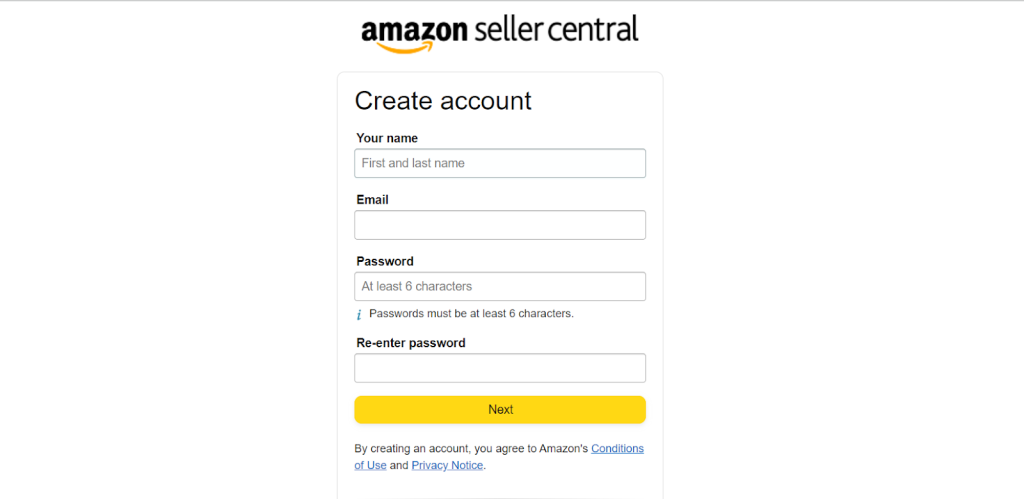
Before you touch product research, you need three things in place: a registered business entity, a dedicated business bank account, and a professional Amazon Seller Central account. Skipping any of these creates friction later, usually at the worst possible moment (tax season, a supplier payment, or an account health review).
Most sellers in the US register an LLC because it separates personal and business liability without the paperwork load of a full corporation. If you are selling from outside the US, you will also need to sort out your tax setup (EIN, W-8BEN, or equivalent) before Amazon releases your first payout. This part is boring, but it is the part that stalls people for weeks if they leave it until “later.”
A Professional Seller Central account costs $39.99/month and unlocks the tools you actually need: bulk listing uploads, advertising, Buy Box eligibility, and reporting. The Individual plan looks cheaper on paper, but it charges $0.99 per unit sold and blocks you from running PPC, which makes it a poor choice for anyone planning to sell more than a handful of units a month.
System 1: A repeatable product research process
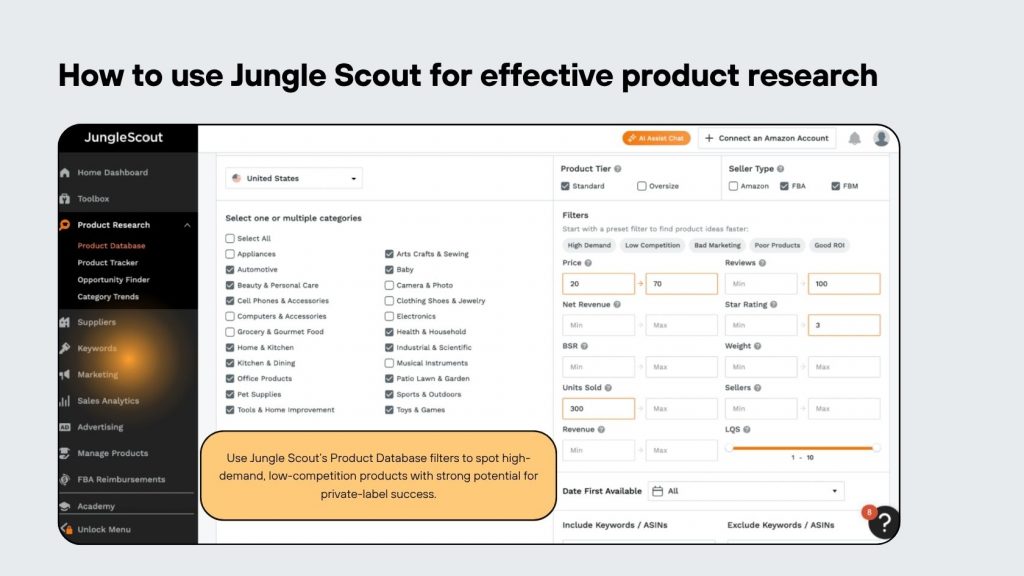
Picking a product based on a gut feeling or a “trending on TikTok” video is how most first-time sellers lose money. What works instead is a documented research process you can repeat for every product idea, so your decisions are based on the same criteria every time.
At minimum, your research checklist should score each opportunity on: monthly search volume for the main keyword, number of reviews on the top 10 competitors (fewer reviews means an easier entry), estimated monthly revenue of the top sellers, and your landed cost versus target sell price. We generally tell new sellers to walk away from any opportunity where landed cost plus Amazon fees eats more than 65-70% of the sale price, because there is not enough margin left to survive a price war or an ad spend increase.
Tools like Helium 10 or Jungle Scout speed this up, but the tool is not the system. The system is the checklist you apply consistently, whether you are looking at product #1 or product #50. If you want a deeper breakdown of how we score opportunities for clients, our product research service walks through the exact criteria we use before recommending a SKU.
System 2: A supplier vetting workflow
New sellers often treat supplier selection as a one-time decision: find a factory on Alibaba, place an order, done. That works until your supplier ghosts you mid-production or ships a batch that fails quality control. A vetting workflow protects you from both.
Before committing to any supplier, request their business license, ask for 3-5 client references (and actually contact them), and order a paid sample, not a free one, since factories tend to put more care into samples they know you are paying for. Once you place your first production order, book a third-party inspection before the goods leave the factory. An inspection typically costs $150-$300 and it is the cheapest insurance policy you will buy all year.
Keep a simple supplier scorecard: on-time delivery rate, defect rate per shipment, and responsiveness to messages. After two or three orders, you will know which suppliers are worth scaling with and which ones need to be replaced before they become a bigger problem.
System 3: Amazon account compliance and health monitoring
Account suspensions rarely happen without warning. They almost always follow a pattern of ignored policy violations, late invoices, or ODR (Order Defect Rate) creeping above 1%. New sellers who check their Account Health Dashboard only when something breaks are already behind.
Build a weekly habit of checking four metrics: Order Defect Rate, Late Shipment Rate, Valid Tracking Rate, and any policy warnings under Account Health. Set a personal threshold below Amazon’s actual limit, for example flag ODR internally at 0.7% instead of waiting until it hits Amazon’s 1% cutoff, so you have time to react before Amazon does.
Keep digital copies of every supplier invoice, shipping document, and brand authorization letter from day one. If Amazon ever requests proof of authenticity (and for many categories, they eventually will), sellers who can produce documents within 24 hours keep their listings live. Sellers who scramble to find a six-month-old invoice often lose the listing before they find it.
System 4: A listing and launch workflow
Your listing is not a one-time task, it is a living asset that needs a repeatable creation and update process. Without a workflow, sellers end up with inconsistent keyword usage, missing A+ content, and images that do not match what competitors in the category are doing.
A basic listing workflow covers: keyword research (main keyword plus 8-12 secondary keywords), title structure following Amazon’s category guidelines, 5-7 bullet points that lead with benefits rather than specs, and at least 6 images including lifestyle shots and an infographic. Brand-registered sellers should also budget for A+ Content, which typically lifts conversion rate by a meaningful margin when done well, though the exact lift varies heavily by category and execution quality.
Launch day itself needs its own checklist too: confirm inventory is checked in at the fulfillment center, verify the Buy Box is showing your price correctly, and have your PPC campaigns structured (even at a small daily budget) so the listing starts collecting data from day one instead of sitting invisible on page 5.
System 5: Financial tracking from your first sale
A surprising number of new sellers can tell you their revenue but not their actual profit per unit. Amazon takes a referral fee (typically 8-15% depending on category), FBA fulfillment fees based on size and weight, and storage fees that scale with how long inventory sits. Without tracking these against your landed cost, you are guessing at profitability, not measuring it.
Set up a simple spreadsheet or tool (A2X and Fetcher are common choices) that pulls in Amazon settlement reports and breaks down true profit per SKU after all fees, PPC spend, and returns. Review this monthly at minimum, weekly once you are running ads. This is also the report that tells you honestly whether a product is worth reordering or should be discontinued.
If you’re comparing fee structures across categories before committing to a product, our team has written a breakdown of how Amazon FBA fees actually stack up by size tier, which is worth reviewing before you finalize sourcing costs.
System 6: Inventory forecasting and reorder triggers
Running out of stock during your first few months kills momentum you worked hard to build, since Amazon’s algorithm rewards consistent sales history and punishes gaps. On the flip side, over-ordering ties up cash in inventory sitting in a warehouse racking up long-term storage fees.
Set a reorder trigger based on your supplier’s lead time plus a buffer. If your factory takes 30 days to produce and ship takes another 30-45 days by sea, you need to place your reorder when you still have at least 75-90 days of inventory left, not when you notice stock getting low. New sellers often learn this the hard way after their first stockout costs them a month of ranking they had just built.
A simple spreadsheet tracking daily sales velocity, current stock, and days of cover remaining is enough for your first year. You do not need enterprise forecasting software to avoid a stockout, you need a habit of checking this number weekly and acting on it before it becomes urgent.
Common mistakes (and how to avoid them)
A few patterns show up again and again with first-time sellers we talk to:
- Skipping business registration until “it becomes necessary”: this delays your first payout and complicates tax filing later. Register before you list your first product.
- Choosing a product based on trend videos instead of a documented scoring process: trends fade faster than a 90-day sourcing lead time, leaving you with inventory nobody wants by the time it arrives.
- Working with a single unvetted supplier for your first order: always request references and order a paid sample before committing to a production run.
- Ignoring Account Health metrics until Amazon sends a warning: by the time you get a policy notice, the underlying issue has usually existed for weeks.
- Tracking revenue instead of true profit per SKU: a product can look successful on the top line and still lose money once fees, PPC, and returns are accounted for.
Wrapping up
None of these systems are complicated on their own. What trips up new sellers is trying to build them all reactively, after a stockout, a suspension warning, or a supplier gone quiet, instead of setting them up before the first sale happens.
If you are still validating your first product idea and want a second opinion before you commit sourcing dollars, our product research service is a low-pressure way to pressure-test your shortlist before you place a purchase order.