If you’re selling or planning to sell, Vietnamese products on Amazon, you’ve likely come across the term FNSKU. This unique barcode is a key part of Amazon’s FBA (Fulfillment by Amazon) system.
Many new sellers confuse FNSKU, SKU, and UPC, leading to costly mistakes such as shipment rejections or misidentified inventory.
In this guide, Zonpal – Vietnam’s leading Amazon full-service agency – breaks down what FNSKU really means, how to create and print it correctly, and why it’s the only identity code that connects your products to your Amazon account.
1. What Is FNSKU?
FNSKU (Fulfillment Network Stock Keeping Unit) is Amazon’s internal tracking code assigned to every product handled under the FBA system.
Each item sold through FBA gets a unique FNSKU, allowing Amazon to identify which seller owns the inventory, even if multiple sellers offer the same product.
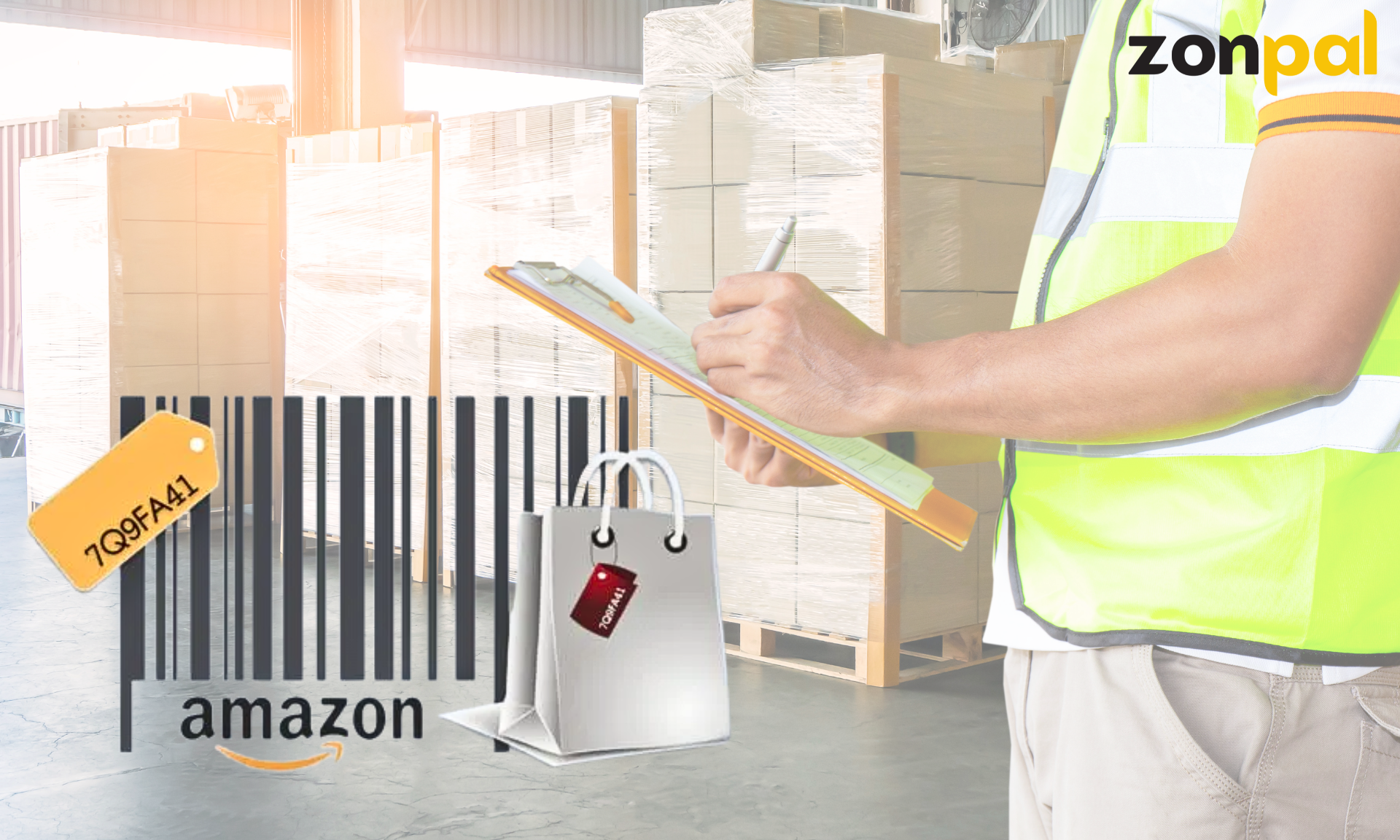
FNSKU is Amazon’s exclusive identification code.
To simplify:
- SKU: Created by you for your internal inventory.
- FNSKU: Created by Amazon to track your items in its fulfillment centers.
- UPC / EAN / GTIN: Global barcode used for retail identification worldwide.
In short: Your SKU is yours. FNSKU belongs to Amazon. Once your product is labeled with its FNSKU, Amazon knows exactly which items belong to your store.
2. Why Is FNSKU Important in Amazon FBA?
In Amazon’s vast logistics network, millions of products flow through warehouses every single day. Managing this enormous ecosystem efficiently requires a precise system of identification — and that’s exactly what FNSKU provides. It’s more than just a barcode; it’s the digital fingerprint of your product within Amazon’s fulfillment infrastructure. Without it, Amazon wouldn’t be able to track ownership, route inventory, or ensure sellers receive proper credit for their sales.
2.1. Ensures Accurate Product Traceability
Every product in Amazon’s FBA system must be traceable from the moment it enters a fulfillment center until it reaches the customer.
The FNSKU tells Amazon exactly who owns the product, which warehouse it’s stored in, and which customer order it belongs to. This eliminates confusion, prevents misallocation, and ensures that the right item always reaches the right buyer.
If a shipment arrives at an Amazon warehouse without FNSKU labels or with incorrect ones, it can cause inventory mismatches, delays in processing, or even rejection of your goods.
In short, FNSKU acts as the link between your seller account and your physical inventory, ensuring every product can be accurately identified throughout the fulfillment chain.
2.2. Protects Seller Ownership
One of the biggest challenges for sellers on Amazon is inventory commingling — when products from multiple sellers of the same item are mixed together. This can be risky, as one seller’s poor-quality product might lead to negative reviews or returns that affect another seller’s listing.
By assigning a unique FNSKU to your products, Amazon ensures that your inventory is kept separate from others, even if the products are identical in type or description (like “500ml stainless steel bottles”).
This separation is crucial for maintaining brand reputation, product quality control, and accountability.
In essence, your FNSKU is a safeguard that tells Amazon, “This product belongs to this specific seller.” It’s your ownership signature within the FBA system.
2.3. Improves Fulfillment Accuracy
From the moment your inventory arrives at the warehouse, Amazon’s automated system uses the FNSKU to track every movement.
When a customer places an order, the FNSKU ensures Amazon picks the right product from the right seller’s inventory, packages it, ships it, and updates the tracking data accurately.
FNSKU is also vital for returns management. When a customer sends back a product, Amazon scans the FNSKU to verify it belongs to your account – preventing returns from being mistakenly attributed to another seller.
By integrating FNSKU at every stage: receiving, storage, packaging, delivery, and returns… Amazon maintains near-perfect operational efficiency, minimizing errors and maximizing trust between sellers and customers.
2.4. Optimizes Amazon Logistics
With billions of items distributed across hundreds of fulfillment centers globally, Amazon relies on FNSKU to automate and optimize logistics decisions.
The system uses FNSKU data to determine which warehouse has the product, where demand is highest, and which route ensures the fastest, most cost-effective delivery.
This precision allows Amazon to fulfill its Prime 2-Day Delivery promise, a cornerstone of its customer satisfaction strategy.
By knowing exactly where every unit of your product resides, Amazon can strategically redistribute inventory, ensuring customers receive their orders faster — and sellers maintain consistent performance ratings.
3. What Does an FNSKU Look Like?
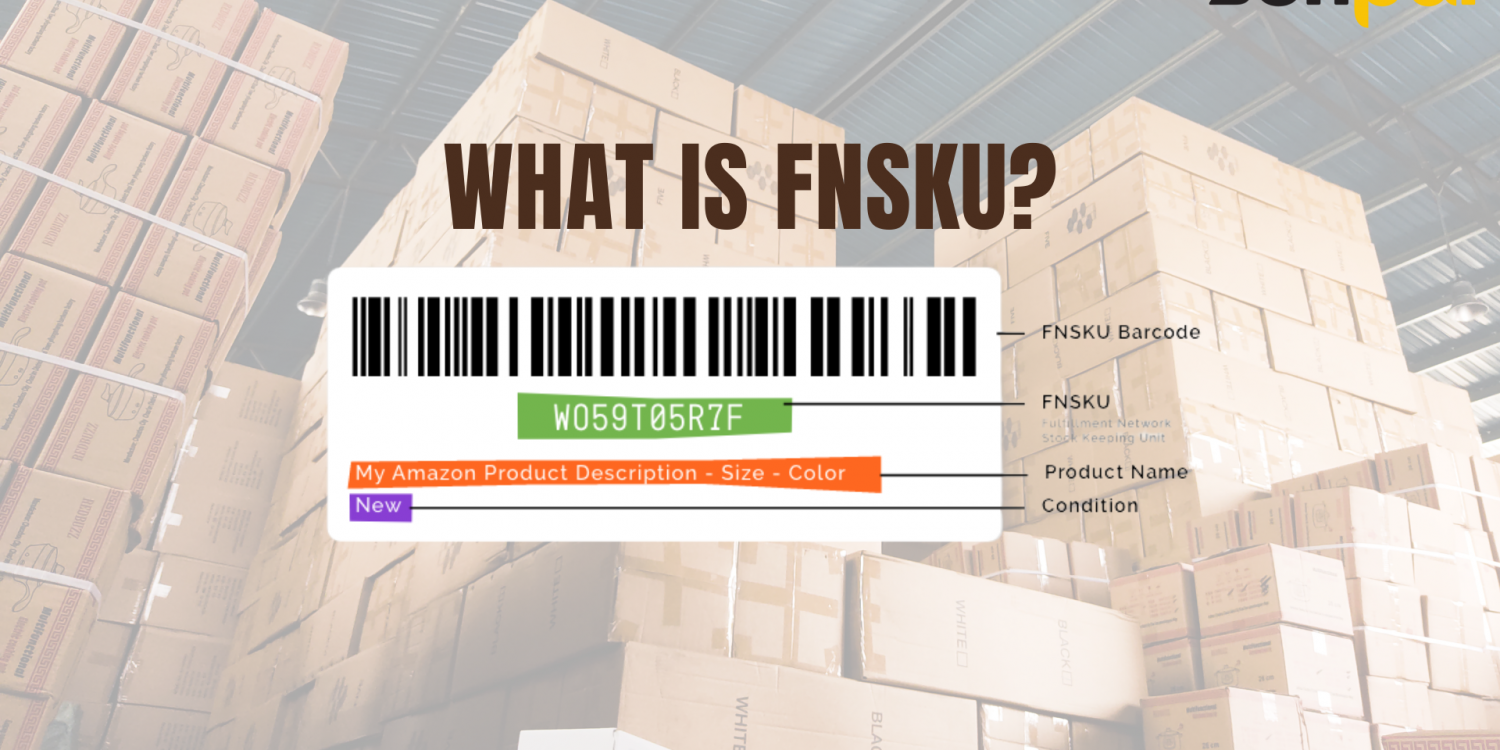
A typical FNSKU follows this format: X0000ABCDE (10 characters, always starting with “X”).
Example: FNSKU: X002ABCD12
Each label includes:
- 1D barcode
- Alphanumeric FNSKU code
Product name or short description - Brand name (if applicable)
Note: Two different products cannot share the same FNSKU, even from the same seller.
4. When Do You Need FNSKU?
FNSKU applies only to sellers using FBA.
- FBA sellers: Must label every unit with its unique FNSKU.
- FBM sellers: Don’t need FNSKU; they use SKU or UPC instead.
Zonpal Recommendation:
Vietnamese sellers should choose FBA, as Amazon handles storage, shipping, and customer service, ensuring better logistics and buyer experience.
5. How to Create an FNSKU
Step 1: Log into Seller Central → Inventory → Add a Product.
Enter product details (title, brand, description, price, images).
Select Fulfilled by Amazon (FBA) as the fulfillment option.
Step 2: Once your listing is approved, Amazon automatically assigns an FNSKU.
Check it under Manage Inventory → FNSKU column or export a .csv file.
Step 3: Go to Manage FBA Inventory → Print Item Labels.
Choose your label size (commonly 1”x2” or 3”x1”), download the PDF, and print it for labeling.
6. How to Print and Apply FNSKU Labels Correctly
Labeling might sound simple – but it determines whether your shipment is accepted or rejected by Amazon.
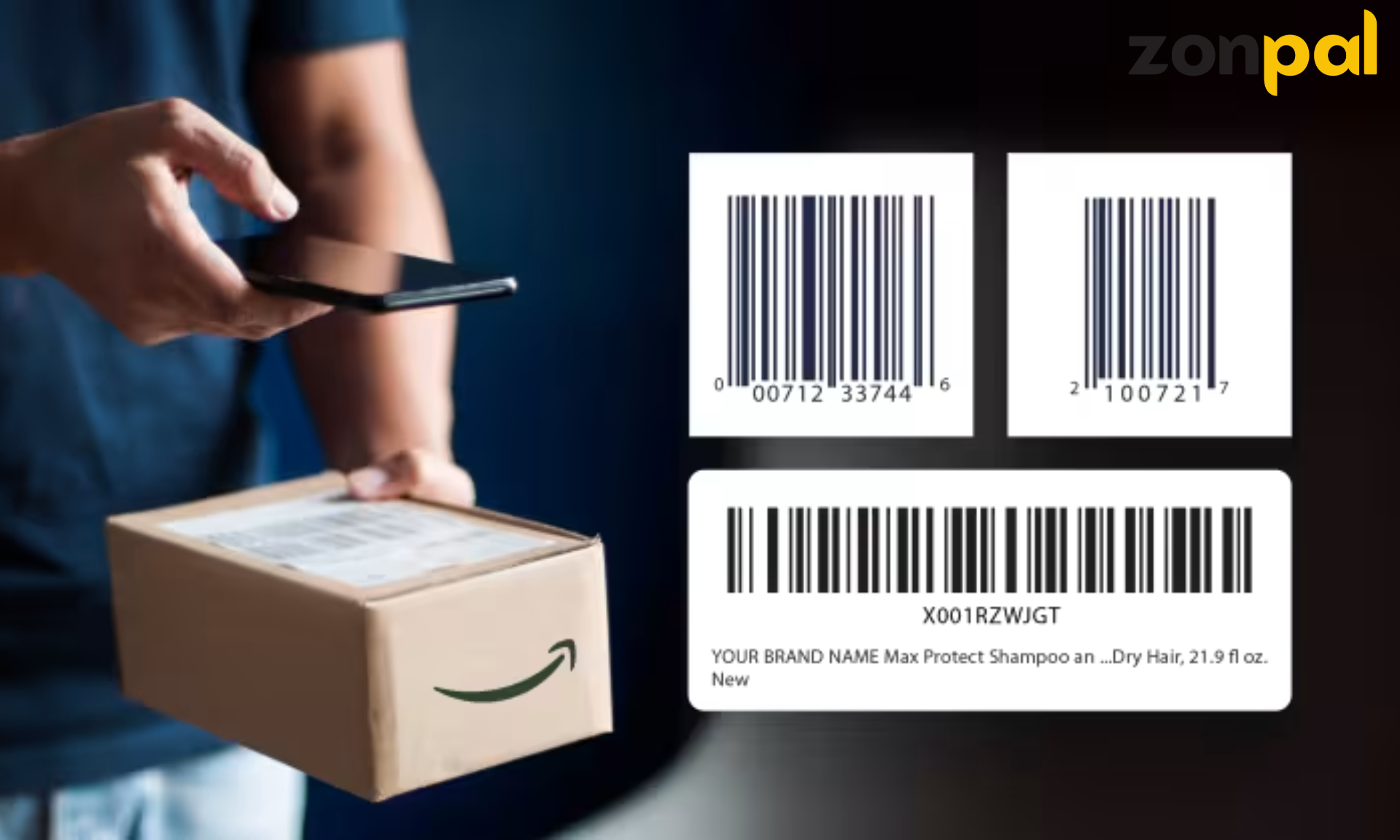
How to print FNSKU labels correctly?
Amazon Labeling Rules:
- Must be clear, scannable, and not blurry.
- Recommended size: 1” x 2”.
- Place it on a flat, visible surface (not under plastic wrap or tape).
- Cover or remove any existing UPC/EAN to prevent scanning errors.
- Don’t place labels on corners or box folds.
Best Printing Practices:
- Use thermal printers like Zebra, Brother, or Rollo.
- Use thermal sticker paper (no ink required).
- Print at 600 DPI for clear barcode quality.
Zonpal Tip: For bulk shipments, print FNSKU labels directly at the manufacturer’s facility to save cost and avoid labeling errors.
7. Common FNSKU Mistakes
- Wrong or unclear placement → Amazon can’t scan, leading to rejection or relabeling fees.
- UPC not covered → May confuse Amazon’s system about product ownership.
- Reusing old FNSKUs → Major violation; can lead to listing removal or account warnings.
- Printing with regular ink → Labels fade during transit, causing scanning errors.
8. FNSKU vs. SKU vs. ASIN
When selling on Amazon, many beginners often get confused between FNSKU, SKU, and ASIN – three key identifiers that look similar but serve completely different purposes.
Understanding how they work and how they connect, is essential for accurate inventory tracking, smooth fulfillment, and long-term success on Amazon.
| Term | Issued By | Purpose | Notes |
| SKU | Seller | Internal inventory tracking | Custom-coded by seller |
| ASIN | Amazon | Product identification on Amazon | Every product has one ASIN (A + 10 digits) |
| FNSKU | Amazon | Identifies product ownership for FBA | Exclusive to FBA sellers; prevents inventory mix-ups |
Example:
A Vietnamese roasted coffee (250g) has:
- ASIN: B0A1XYZ123
- Seller SKU: VNCAFE250
- FNSKU: X001B4ZT9N – the label to print and apply for FBA.
9. How to Manage FNSKUs Efficiently
For businesses managing 50 or more products, manually tracking FNSKUs can quickly become overwhelming. As your catalog expands, each new SKU or product variant adds another layer of complexity — and without a clear structure, errors in labeling, shipping, or reporting are inevitable.
Mismanagement at this stage can lead to serious issues, such as duplicated codes, misplaced inventory, mismatched shipments, or even Amazon account warnings for labeling inconsistencies. That’s why implementing a systematic FNSKU management process early on is essential for long-term scalability.
Here’s how Zonpal recommends you streamline and automate your FNSKU tracking system:
9.1. Build a Centralized Tracking Sheet
Start with a simple but detailed Google Sheet or cloud-based spreadsheet that serves as your central reference point.
Include these essential columns for full visibility:
-
Product Name – the official product title listed on Amazon.
-
SKU – your internal stock-keeping code.
-
FNSKU – the code Amazon assigns to that specific product.
-
Creation Date – when the product or FNSKU was first generated.
-
FBA Warehouse / Destination – where the item is stored or shipped.
Having a centralized log allows your operations, warehouse, and marketing teams to cross-check data easily, especially when handling multiple shipments or product variations.
9.2. Label Products Directly at the Factory
Instead of printing and applying FNSKU stickers manually before every FBA shipment, integrate the labeling process at the production stage.
By having your manufacturer or packaging partner apply the FNSKU labels directly onto the products or boxes, you:
-
Save time and labor costs,
-
Reduce labeling errors, and
-
Ensure every unit is compliant with Amazon’s standards before it leaves the factory.
This approach is especially beneficial for bulk shipments, as it minimizes bottlenecks during export and warehouse preparation.
9.3. Automate Tracking with Software and API Integration
When managing inventory across multiple marketplaces — such as Amazon, Shopify, TikTok Shop, or eBay — manual updates become inefficient and risky.
Zonpal recommends using inventory management software or API-integrated tools to automatically sync FNSKU data across all platforms.
Automation helps you:
-
Keep all product listings updated with correct FNSKU mappings.
-
Monitor stock levels in real time across different warehouses.
-
Generate accurate reports for logistics, finance, and marketing analysis.
For example, tools like Zoho Inventory, Sellbrite, or Linnworks can link directly with Amazon Seller Central to prevent data mismatches.
9.4. Train Your Team and Document Every Process
As your catalog grows, having a knowledgeable team is as important as having a system.
Create an internal standard operating procedure (SOP) that outlines:
-
How new FNSKUs are created and recorded.
-
Who is responsible for labeling and verifying accuracy.
-
How to resolve errors or update data if Amazon modifies product listings.
Proper training ensures consistency and accountability, reducing dependency on one individual and allowing your team to scale confidently.
10. Zonpal – Vietnam’s All-in-One Amazon FBA Solution
FNSKU may seem small, but it’s a critical link in the Amazon supply chain.
At Zonpal, we support Vietnamese brands throughout their entire FBA journey:
- Seller Central setup and registration
- FNSKU design, printing, and labeling
- FBA shipping and inventory management
- Listing optimization and A+ Content creation
- Amazon PPC campaign management
With Zonpal, Vietnamese sellers don’t just “list on Amazon” they build global brands.
Conclusion: FNSKU – A Small Code, Big Value
FNSKU isn’t just a barcode – it’s your product’s digital identity inside Amazon’s global warehouse system.
Understanding and applying it correctly means building a strong foundation for your FBA success, helping your brand grow beyond borders.
Zonpal – From Vietnam to Global.
Empowering Vietnamese businesses to conquer Amazon with full-service solutions – from product setup and logistics to brand growth and performance.