
Q4 is over, and the dashboard tells a different story than it did in November. ACOS crept up during Prime-day-style promotions, your FBA warehouse is full of excess stock from forecasts that didn’t hold, and some of your best-selling SKUs from the holiday rush will sit flat for the next six weeks. January is not a month to coast on momentum, it’s the month to reset.
Sellers who skip this reset usually carry holiday pricing, holiday bids, and holiday inventory levels straight into February, then wonder why margins shrink. This guide walks through exactly what to review in January, in the order it actually matters for cash flow and account health.
What you need before you start
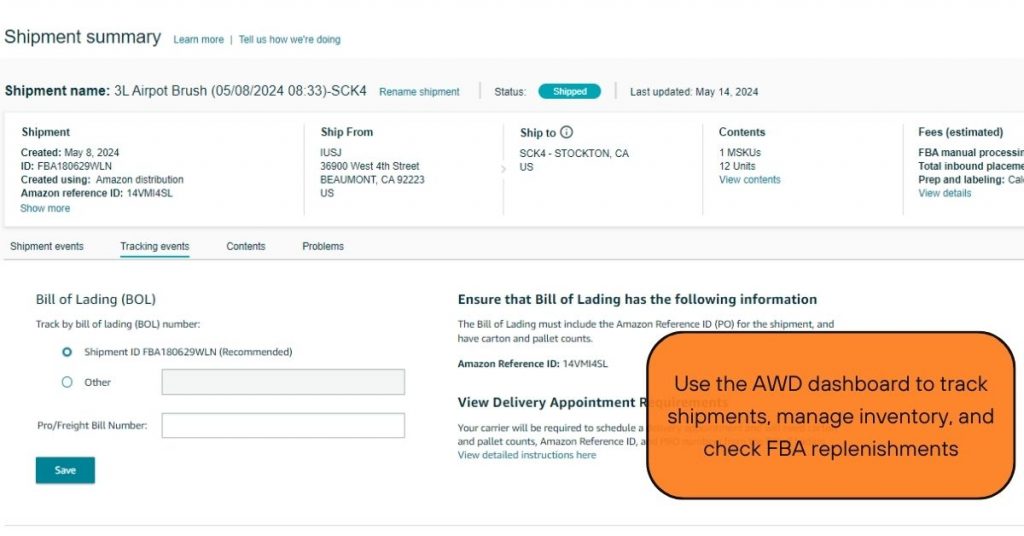
Pull your Business Reports for the full Q4 period (October through December) and compare them against Q3. You’ll also want your Inventory Performance Index (IPI) score, current FBA inventory levels by SKU, and your PPC search term reports from the last 90 days.
If you run multiple marketplaces, export data separately for each one. Holiday demand patterns in the US and UK rarely move together, and treating them as one dataset will hide real problems.
Block out at least half a day for this review. Trying to do it in 45 minutes between other tasks is how sellers miss the SKUs that need the most attention.
Step 1: Audit your Q4 sales data by SKU, not just by account
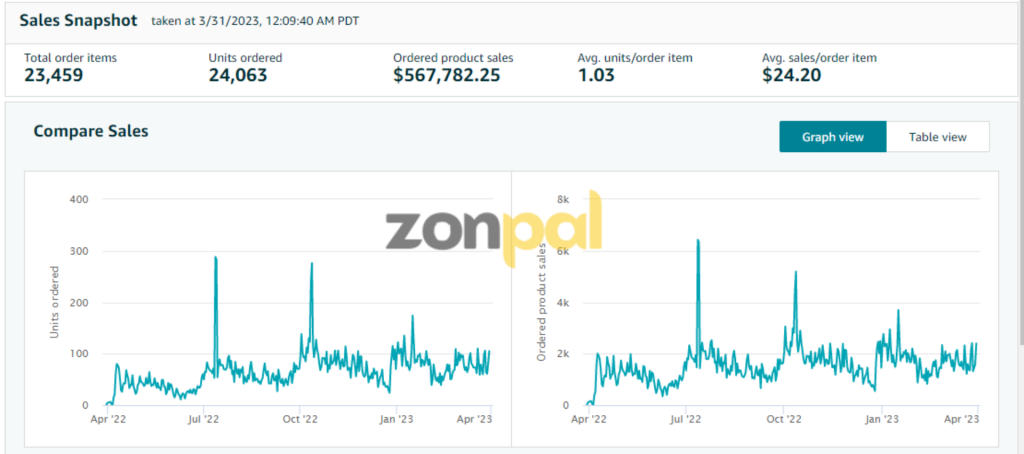
Account-level revenue can look healthy while individual SKUs quietly bleed money. Break down units sold, conversion rate, and sessions for every active ASIN, then flag anything where conversion dropped more than 20% month over month without a corresponding traffic drop.
In one account the team manages, a seasonal gift-set SKU drove 30% of December revenue but had a 4% return rate, nearly triple its normal rate. That signal alone justified pulling the listing images for review before relaunching the SKU next winter.
Rank your SKUs by contribution margin, not just revenue. A SKU that sold well during holiday discounting might be unprofitable at full price once Q1 pricing resets.
Step 2: Reconcile FBA inventory and clear dead stock

Holiday forecasts are built on assumptions, and some of them didn’t play out. Pull your current inventory age report and flag any units that have been sitting for more than 90 days, since those are already accruing long-term storage fees.
Decide now whether to discount, bundle, or liquidate excess stock. Waiting until March means paying another round of storage fees on inventory that was already overforecast in October.
Check your IPI score too. A score that dropped after Q4 can mean reduced storage limits in Q1, which directly affects how much new inventory you can send in for spring restocks.
Step 3: Reset your PPC campaigns and bids
Holiday bidding is aggressive by design, and most sellers raise bids in November and forget to pull them back. Go through every campaign and compare your current ACOS against your target ACOS from before Black Friday.
Pause or restructure any campaigns where ACOS climbed above target and conversion rate hasn’t recovered. If a keyword converted well during holiday search volume but is now burning spend with no sales, it needs a bid cut or a move to a lower-intent campaign.
This is also the right time to mine your Q4 search term reports for new keywords that performed well under holiday search volume. Some of those terms will carry real search volume year-round and deserve their own campaigns. If PPC management isn’t something your team has bandwidth for right now, working with a dedicated PPC team can get this reset done faster than doing it between other Q1 priorities.
Step 4: Audit pricing, coupons, and promotions
Check every active coupon and Lightning Deal from Q4. Promotions that were running during Black Friday and Cyber Monday often get left active by accident, quietly eating margin every day they stay live.
Review your pricing against competitors now that holiday discounting has cooled off. If you dropped prices to compete during the holiday rush, decide deliberately whether to hold that price or return to your pre-Q4 baseline.
Also check your Buy Box win rate by SKU. A drop here often means a competitor undercut you during the holidays and never raised prices back, which changes your pricing strategy for the rest of Q1.
Step 5: Refresh listings for Q1 search behavior
Search intent shifts hard after the holidays. Gift-focused keywords and urgency language (“last minute,” “stocking stuffer”) lose relevance fast in January, while terms tied to New Year resolutions, organization, and fitness pick up.
Go through your top 10 listings by revenue and check whether your title, bullet points, and backend keywords still match current search behavior. A listing optimized for “holiday gift for her” in November is leaving conversions on the table in January if nothing changes.
If your catalog is large, prioritize listings where sessions are high but conversion rate has dropped since December. Those are the ones where a content refresh will move the needle fastest. A listing optimization pass at this point in the year tends to pay for itself within a few weeks for high-traffic SKUs.
Step 6: Review returns, refunds, and customer feedback from the holiday surge

Holiday volume almost always brings a spike in returns, and January is when that data fully settles in Seller Central. Pull your Return Reasons report and look for patterns, not just the total return rate.
If “item not as described” or “wrong item sent” shows up repeatedly on one SKU, that’s a listing problem, not a product problem. If “defective” dominates, that’s a quality control issue worth raising with your supplier before your next production run.
Check your negative review volume from December too. A handful of 1-star reviews tied to shipping delays or packaging damage during peak season can usually be addressed directly, and responding to them now protects your rating before Q1 traffic ramps up.
Step 7: Rebuild your Q1 budget and cash flow forecast
Holiday cash flow and Q1 cash flow look nothing alike. Revenue typically drops after the New Year, but FBA storage fees, reimbursements, and inventory payments from Q4 orders are still working their way through your account.
Build a fresh cash flow forecast for January through March based on actual post-holiday sales velocity, not Q4 numbers. Sellers who forecast Q1 using December data consistently overbuy inventory and overcommit on ad spend in the first few weeks of the year.
Factor in any reimbursements owed to you from FBA for lost or damaged holiday inventory. These often take weeks to process, and knowing what’s pending helps you plan more accurately instead of assuming that cash is already available.
Step 8: Check account health after the holiday volume spike
High order volume during Q4 increases the odds of policy flags, late shipment notices, or A-to-z claims slipping through. Check your Account Health dashboard for any new violations or performance notifications that appeared in the last 30 days.
Pay close attention to your Valid Tracking Rate and Order Defect Rate. Both tend to drift during peak season when 3PLs and carriers are under more pressure, and a drift that goes unnoticed in January can turn into an account health warning by February.
If you noticed any unusual account activity during Q4 (unexpected listing suppressions, sudden Buy Box loss, odd account notifications), this is the month to dig into the cause rather than assuming it was a one-off.
Common mistakes (and how to avoid them)
- Leaving holiday PPC bids untouched. Bids set for Black Friday search volume waste spend once that volume disappears. Review and reset bids weekly through January, not just once.
- Treating Q4 inventory levels as the new normal. Reorder points built on holiday velocity lead to overstock in Q1. Reset reorder quantities based on trailing 30-day, post-holiday data.
- Ignoring small return rate increases. A return rate that climbed from 3% to 6% during Q4 rarely fixes itself. Investigate the cause before it becomes a pattern.
- Skipping the account health check because sales are good. Strong revenue doesn’t protect against a suspension. Review performance metrics even when the top line looks fine.
- Doing the reset once and moving on. January reviews catch the obvious issues, but pricing, PPC, and inventory need to be rechecked again in February as Q1 data matures.
Wrapping up
A proper January reset protects the margin you earned in Q4 and sets up a cleaner Q1. The sellers who skip it usually discover the cost in March, when overstocked inventory, drifting ACOS, and unresolved account health flags have compounded into bigger problems.
If your team doesn’t have the bandwidth to run this full audit on top of everyday operations, the Zonpal team handles exactly this kind of ongoing reset as part of our account management service, so nothing from Q4 carries unnoticed into Q2.