If you’ve ever pulled an Amazon settlement report and felt confused by the number of line items, you’re not alone. Amazon FBA fees are not a single flat cost. They’re a stack of separate charges, fulfillment, storage, referral, and a handful of situational fees that only show up if your inventory or listings trigger them.
Most new sellers underestimate this stack by 15-20% when building their first pricing model. That gap is enough to turn a “profitable” product into a break-even one once you factor in ads and returns. This guide breaks down exactly what SMB sellers pay, why each fee exists, and how to build a pricing model that doesn’t fall apart the first time Amazon adjusts its fee schedule.
What you need before you start
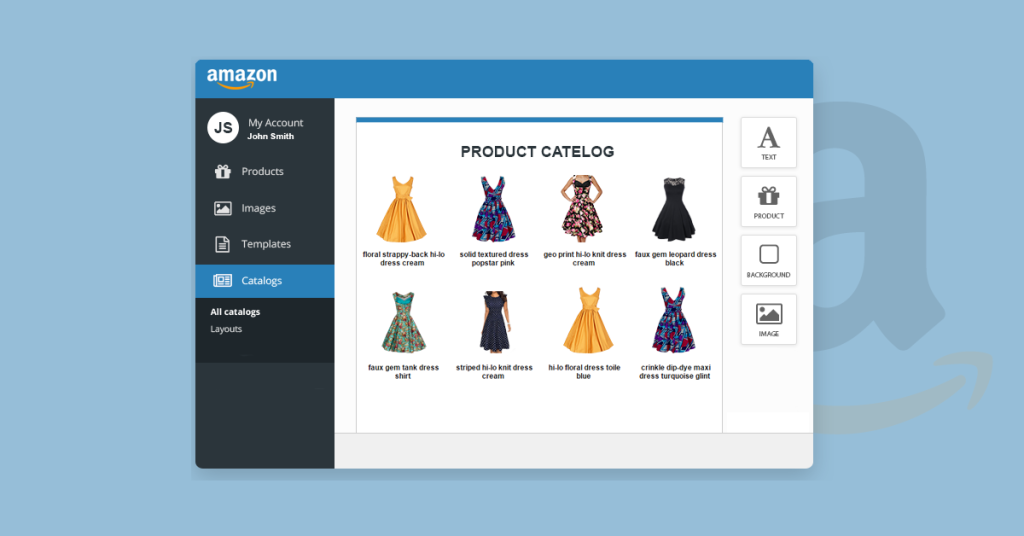
Before you can accurately calculate your FBA fees, you need three things in front of you: your product’s exact dimensions and weight after packaging, your Seller Central account with active listings, and access to the Amazon Revenue Calculator inside Seller Central.
Dimensions matter more than most sellers realize. A product that’s half an inch too long or too tall can bump you into a different fulfillment tier, which changes your fee by several dollars per unit. We’ve seen SMB brands redesign packaging specifically to stay under a size threshold and save thousands per month across volume.
You’ll also want your COGS (cost of goods sold), inbound shipping cost per unit, and your target ad spend as a percentage of revenue. Fees don’t exist in isolation. They only make sense when you can see the full margin picture next to them.
Step 1: Understand the three core fee categories
Every FBA seller pays into three main buckets: fulfillment fees, storage fees, and referral fees. Everything else (long-term storage surcharges, removal fees, returns processing) is conditional and depends on your specific inventory behavior.
Fulfillment fees cover picking, packing, and shipping your product to the customer. Storage fees cover the physical space your inventory occupies in Amazon’s warehouses, billed monthly. Referral fees are essentially Amazon’s commission for the sale, calculated as a percentage of your item price and varying by category.
Think of it like running a warehouse and a sales channel at the same time. Amazon is charging you for storage space (like a landlord), for order fulfillment labor (like a 3PL), and for access to its customer base (like a marketplace commission). Once you separate these three mentally, the settlement report stops feeling like a black box.
Step 2: Break down your fulfillment fees
Fulfillment fees are based on size tier and weight, not on your product’s price. Amazon groups products into tiers like small standard, large standard, small oversize, and large oversize, and each tier has its own fee schedule that Amazon updates roughly once a year, usually in the fall.
This is where packaging decisions have real financial consequences. We worked with an SMB brand selling a kitchen accessory that sat right at the edge of the small standard tier. By switching from a rigid box to a compressed poly bag, they dropped into a lower tier and cut their per-unit fulfillment fee by close to 20%, without changing the product itself.
The lesson here: don’t just accept your current packaging as fixed. Run your dimensions through Amazon’s size tier chart before you finalize any packaging redesign. A half-inch difference can be the line between two fee brackets, and at scale, that adds up fast.
Step 3: Understand monthly and long-term storage fees
Storage fees are billed per cubic foot, per month, and they change based on the season. Rates during October through December (Amazon’s peak season) run noticeably higher than the rest of the year, because warehouse space is at a premium during Q4.
This is where a lot of SMB sellers get caught off guard. If you send in a large batch of holiday inventory in September and it doesn’t sell through fast enough, you’re paying peak storage rates on unsold units sitting in the warehouse. That’s dead money.
Then there’s long-term storage fees, an additional surcharge that kicks in once inventory has been sitting in an Amazon fulfillment center for more than a certain number of months (Amazon reviews this on a rolling basis, typically flagging units held longer than 6-12 months). These fees exist specifically to discourage sellers from using Amazon as free long-term warehousing, and they can escalate quickly if you don’t act on aged inventory reports.
Step 4: Calculate your referral fee by category
Referral fees are a percentage of your total sale price (including shipping charged to the customer), and the percentage depends entirely on the category your product is listed under. Categories like electronics tend to sit at a lower percentage, while categories like apparel, jewelry, and beauty tend to run higher.
Here’s a mistake we see constantly: sellers list a product in a category that maximizes discoverability but ignore that the category also carries a higher referral fee. Sometimes that trade-off makes sense, more visibility can justify a slightly thinner margin. But it should be a deliberate decision, not something you discover three months in when you’re reviewing your P&L.
Before you finalize a listing’s category, run the referral fee percentage against your actual price point. A product priced at $25 in a 15% referral category pays a very different fee than the same product in a 17% category, and over thousands of units, that 2% gap becomes a meaningful chunk of annual profit.
Step 5: Watch for the fees SMB sellers usually miss
Beyond the core three, there’s a set of situational fees that catch new sellers by surprise. These include:
- Returns processing fees: charged on certain categories when a customer returns an item, separate from the original fulfillment fee.
- Removal and disposal fees: charged when you ask Amazon to remove or destroy unsold inventory from its warehouses.
- Aged inventory surcharge: an escalating fee added on top of long-term storage fees for units that sit unsold well beyond the standard threshold.
- Inbound placement service fees: charged based on how Amazon distributes your inventory across its fulfillment network, which varies depending on how many locations you ship to.
None of these are hidden exactly, Amazon documents all of them in Seller Central. But they’re easy to overlook if you’re only checking your Revenue Calculator estimate at launch and never revisiting it. We recommend a quarterly fee audit for every active SKU, not just an annual one.
Step 6: Build your real margin, not your estimated one
Once you have fulfillment, storage, referral, and any applicable situational fees, you can build an accurate margin model. The formula looks like this: Sale price, minus COGS, minus inbound shipping, minus fulfillment fee, minus average monthly storage cost per unit, minus referral fee, minus ad spend, equals your real net margin.
Most sellers only calculate the first version of this (price minus COGS minus fulfillment minus referral) and call it done. That leaves out storage and ad spend, two of the biggest variable costs in the entire model. A product that looks like it’s earning 30% margin on paper can easily drop to 12-15% once you add realistic storage duration and a competitive ad spend ratio.
We build this exact model for every SMB brand we work with before we touch a single listing or ad campaign. If you want a reference point for structuring your own version, our Amazon PPC guide walks through how ad spend factors into this same margin equation.
Common mistakes (and how to avoid them)
Here are the errors we see most often when SMB sellers calculate their FBA fees:
- Using the Revenue Calculator once at launch and never again. Fee schedules update at least once a year. Re-run your calculation every time Amazon announces a fee change, usually communicated via Seller Central notifications in the months leading up to the change.
- Ignoring seasonal storage rate changes. Sending in Q4-sized inventory batches without accounting for peak storage pricing is one of the fastest ways to erode margin during your busiest sales window.
- Not tracking aged inventory. Run the Inventory Age report monthly. Units sitting past the long-term storage threshold should be liquidated, discounted, or removed before the surcharge compounds.
- Choosing a category for visibility without checking the referral fee. Always confirm the percentage before finalizing your listing category, especially for products near a price threshold where the fee jump matters.
- Forgetting packaging affects fulfillment tier. Before finalizing any packaging redesign, check where your dimensions land on Amazon’s size tier chart. Small adjustments can shift you into a cheaper tier entirely.
Wrapping up
Amazon FBA fees aren’t complicated once you separate them into fulfillment, storage, referral, and situational categories. What trips up most SMB sellers isn’t understanding the fees, it’s forgetting to revisit the math as fee schedules, seasons, and inventory age change throughout the year.
If you’re managing this alongside listings, ads, and inventory planning on your own, it’s easy for fee creep to quietly eat into margin without anyone noticing until the quarterly numbers come in low. That’s usually the point where SMB brands start looking for a second set of eyes on their account. If that sounds like where you’re at, our Amazon account management service is built specifically to keep an eye on this kind of detail so you don’t have to catch it after the fact.