Most sellers start Amazon PPC with a simple plan: turn on auto campaigns, wait for sales, adjust bids when ACOS looks scary. That works for a week, maybe two. Then budgets get spent on the wrong keywords, ACOS climbs, and you’re left guessing why a campaign that used to convert suddenly stopped.
Amazon PPC isn’t complicated in theory. Bids, keywords, budgets. But the framework you use to manage those three variables is what separates sellers who scale profitably from sellers who burn ad spend chasing rank. This guide walks through the bidding framework we use with brands moving from “I turned on some campaigns” to “I have a system that scales.”
What you need before you start
Before you touch a single bid, you need three things in place. Skip any of these and your PPC data will lie to you, no matter how good your bidding logic is.
A converting listing. PPC drives traffic, not sales. If your main image doesn’t stop the scroll, your bullet points don’t answer objections, or your price is off from comparable ASINs, you’ll pay for clicks that never convert. Fix the listing first, then turn on ads.
Clean keyword research. You need a list of relevant search terms sorted by intent, not just volume. A tool like Helium 10’s Cerebro or Amazon’s own Search Query Performance report works fine. What matters is that you know which terms are “buy now” terms versus “just browsing” terms before you start bidding.
A budget you can actually track daily. Amazon PPC rewards sellers who check data often in the first two to three weeks of a campaign. If you’re planning to look at your account once a month, don’t start yet. Set aside 15 minutes a day for the first three weeks.
Once those three are in place, you’re ready to build the bidding structure itself.
Step 1: Separate campaigns by intent, not just match type
The most common mistake we see in new accounts is one campaign per product with all match types dumped inside. That structure makes it impossible to control bids at the level that actually matters: search term intent.
Instead, split into at least three campaign types from day one:
- Auto campaign, low budget, used purely for discovery. Its job is to surface search terms you haven’t thought of yet.
- Manual exact match campaign, built around your highest-intent, proven-converting keywords. This is where most of your budget should eventually live.
- Manual broad or phrase campaign, used to test keyword variations before promoting winners into exact match.
This separation means you can bid aggressively on exact match terms you know convert, while keeping discovery spend capped and controlled. Mixing all of that into one campaign means one bid setting has to serve three very different jobs, and it never does that well.
Step 2: Set your starting bids using breakeven ACOS, not gut feel
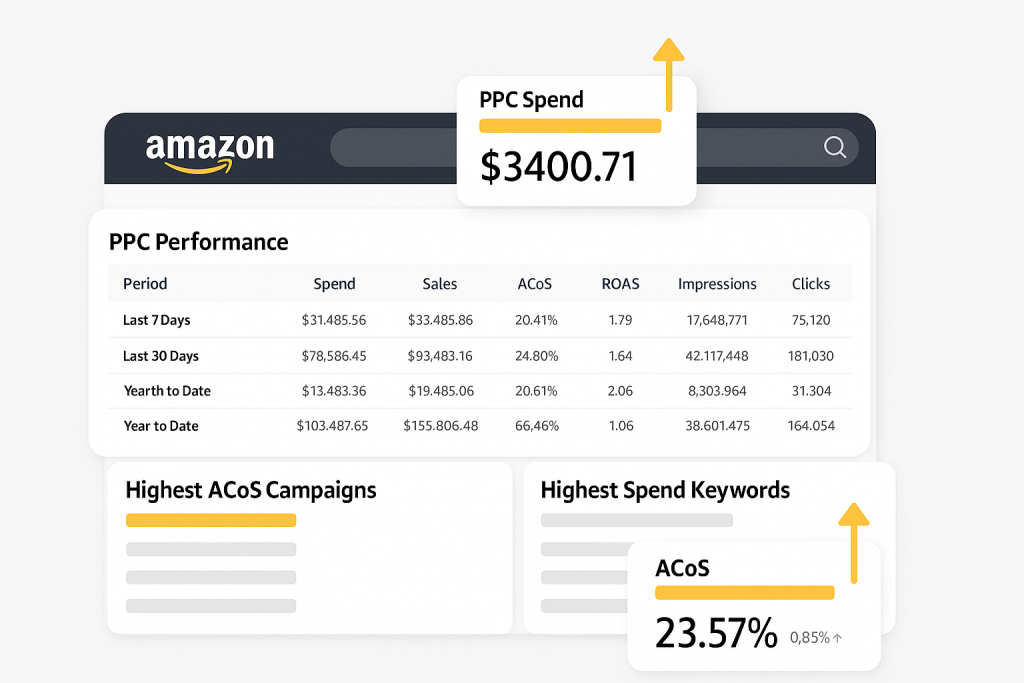
Before you enter a single bid, calculate your breakeven ACOS. This is the maximum ad spend as a percentage of revenue you can afford before the sale becomes unprofitable. The formula is straightforward: (price minus all costs including FBA fees and COGS) divided by price.
Say your product sells for $24.99. After Amazon fees and COGS, your margin per unit is $6. Your breakeven ACOS is roughly 24%. That number becomes your ceiling, not your target. Most sellers we work with aim to run new campaigns at 60 to 80% of breakeven ACOS in the first month, which gives room to gather data without immediately losing money.
For your starting bid, a reasonable approach is: take your target CPC (breakeven ACOS multiplied by your average order value, divided by expected clicks-to-conversion ratio) and set that as your initial exact match bid. It won’t be perfect. It doesn’t need to be. It needs to be close enough that Amazon’s algorithm gives your campaign a fair shot at impressions.
Auto and broad campaigns should start with bids around 20 to 30% lower than your exact match bids. These campaigns are for discovery, not conversion volume, so you don’t need to compete as hard for placement.
Step 3: Let campaigns run for 10 to 14 days before major changes
This is where most sellers lose patience and cause damage. Amazon’s algorithm needs a data collection period to understand what your campaign is targeting and how it performs. Adjusting bids every day in week one is like judging a diet after one meal.
During this window, avoid these actions:
- Pausing keywords with zero sales but under 20 clicks
- Increasing bids by more than 15-20% at a time
- Changing campaign budgets daily based on ACOS swings
What you should do instead: check impressions and clicks daily, but only act on conversion data once you hit statistically useful sample sizes, generally 15-20 clicks per keyword minimum before you decide it’s not working.
Step 4: Harvest converting search terms into exact match

Once your auto and broad campaigns generate real sales data, pull your search term report. Any keyword that has converted at least once, ideally two or three times with a reasonable ACOS, should be moved into a dedicated exact match campaign with its own bid.
This is the “harvesting” step that turns a beginner PPC setup into an intermediate one. Instead of relying on Amazon’s broad targeting to find buyers, you’re actively curating a list of proven keywords and bidding on them with precision. We’ve seen accounts cut ACOS by a meaningful margin within 30-45 days just by running this harvesting process weekly rather than sporadically.
At the same time, add underperforming search terms as negative keywords in your auto and broad campaigns. This is not optional maintenance, it’s the mechanism that stops your discovery campaigns from bleeding budget on irrelevant clicks. If you’re not sure how aggressive to be with negatives, our team walks through this process in more depth on the negative keyword guide on the Zonpal blog.
Step 5: Move from ACOS-only thinking to TACOS tracking
ACOS tells you how efficient a single campaign is. It doesn’t tell you whether your overall business is growing or whether your organic ranking is improving because of the ads you’re running. That’s where TACOS (Total Advertising Cost of Sale) comes in: total ad spend divided by total revenue across your entire catalog, not just PPC-driven sales.
A campaign with a 35% ACOS can still be a good decision if it’s pushing organic rank and total revenue growth means your TACOS is trending down over time. New sellers often panic at ACOS numbers that intermediate sellers would consider a reasonable investment in visibility.
Track TACOS monthly. If it’s declining while revenue climbs, your PPC spend is doing its job, even if individual campaign ACOS numbers look aggressive on paper.
Step 6: Build your bid adjustment rhythm
Once your campaigns have 3-4 weeks of data, set a weekly (not daily) review rhythm. On that day, adjust bids based on these rules:
- Keywords converting below your target ACOS: increase bid by 10-15% to capture more volume
- Keywords converting near breakeven: hold steady, monitor another week
- Keywords consistently above breakeven ACOS with no improvement after 20+ clicks: decrease bid or pause
This weekly rhythm is what separates a managed PPC account from a reactive one. Sellers who check bids daily tend to overcorrect on noise. Sellers who never check tend to miss real trends. Weekly, with clear thresholds, is the sweet spot we’ve found works across most catalogs, from single-SKU accounts to portfolios with 40+ ASINs.
Common mistakes (and how to avoid them)
- Judging campaigns too early. A campaign with 8 clicks and no sales tells you nothing statistically. Wait for at least 15-20 clicks before making a bid decision.
- Running all budget through auto campaigns indefinitely. Auto campaigns are for discovery. If 80% of your budget is still in auto after 60 days, you haven’t harvested your data.
- Ignoring negative keywords. Every irrelevant click that doesn’t convert is money that could have gone to a proven keyword. Negative keyword management should happen weekly, not once a quarter.
- Chasing ACOS instead of TACOS. A single campaign’s ACOS can look bad while still contributing to organic rank gains that lower your total advertising cost over time.
- Setting bids once and forgetting them. Amazon’s competitive landscape shifts weekly, especially around seasonal demand. A bid that worked in March may be too low by June.
Wrapping up
Amazon PPC rewards structure over intuition. The framework above, campaign separation by intent, breakeven-based bidding, a patient data collection window, weekly harvesting, and TACOS tracking, is the same core process we use across accounts of very different sizes. The mechanics don’t change much, whether you’re running $2,000 a month or $50,000.
What changes is how much time it takes to manage well as your catalog grows. If you’d rather have a team running this framework on your account daily than trying to fit weekly bid reviews between everything else running your brand, our Amazon PPC management service picks up exactly where this guide leaves off, with the bid adjustments, harvesting, and TACOS tracking handled for you.